
Microsoft Dynamics 365 Customer Insights comprises Customer Insights – Journeys (formerly Dynamics 365 Marketing) and Customer Insights – Data (previously the standalone Customer Insights) and is a customer data platform (CDP) from Microsoft.
Easily automate and optimise email marketing, text messages, social media posts and advertising campaigns. That is what Dynamics Customer Insights is for.
Improve the customer experience, engagement and thus customer satisfaction and brand loyalty.
Get cross-platform insights into how customers interact with your content – are emails opened and links clicked? And use workflows to define how to respond automatically. When is which email or text message sent, and which customers may be contacted in which way? What customer-specific information is relevant, e.g. birthdays or anniversaries? Have the right email sent for every occasion. And all of that GDPR-compliant. Discover new audiences with AI and personalise your marketing strategy for them.
With A/B tests in your workflows you can try different strategies and evaluate which one is more successful.
Use AI to query customer data quickly and easily, without cumbersome filter selection.
With the email builder you can easily create templates that will delight your customers. Include downloadable files, forms and Microsoft Teams meeting links. AI writes your copy as if by magic and adapts the content to your homepage.
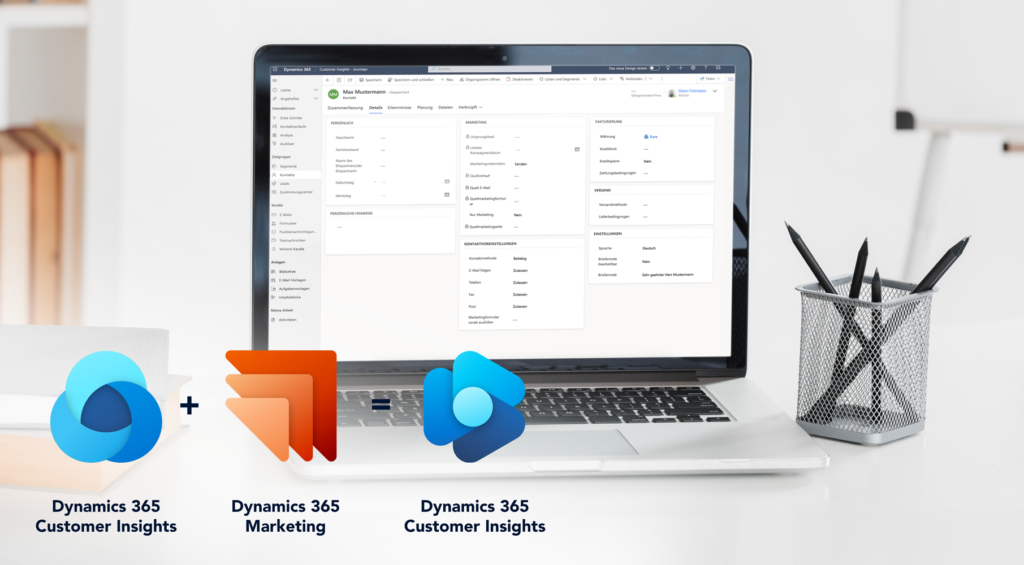
Collect all transactional, demographic and behavioural data in one place. Use data from third-party sources and the integration of other Microsoft and third-party applications.
Store personal notes, such as information about birthdays or family circumstances, problems and concerns
Track customer activities across all platforms
Store customer consents and preferred communication channels
Define and predict customer trends and audiences with AI
Full control and compliance with applicable data protection laws and regulations are guaranteed
With marketing forms on your website, in your emails or in the link tree of your social media presence you generate leads directly in Dynamics 365. This flexible form can be used as a standalone solution or integrated seamlessly into your existing website.
It is created quickly and easily in Dynamics Customer Insights. You choose from several preset form types, add fields and graphic elements, and define which fields are stored in the lead and how. Decide whether existing leads and contacts should be updated – or whether that is not desired.
This way you can easily collect customer consents and data and better assess interest.
A general form for collecting contact information on marketing pages that are not subscription centres or forward-to-a-friend forms. New subscriptions can also be completed with this form type, but existing data cannot be edited. Incoming data is matched with existing contacts where possible. If a match is found, the matching record is updated; otherwise a new record is created.
With this form, contacts can view and edit their contact details and use checkboxes to subscribe to or unsubscribe from mailing lists. When the form is submitted, all contact fields and mailing list information are updated. A subscription form only changes existing contacts and never creates new ones.
A concise form with fields that each accept an email address entered by a contact, used to forward a marketing message to other colleagues.
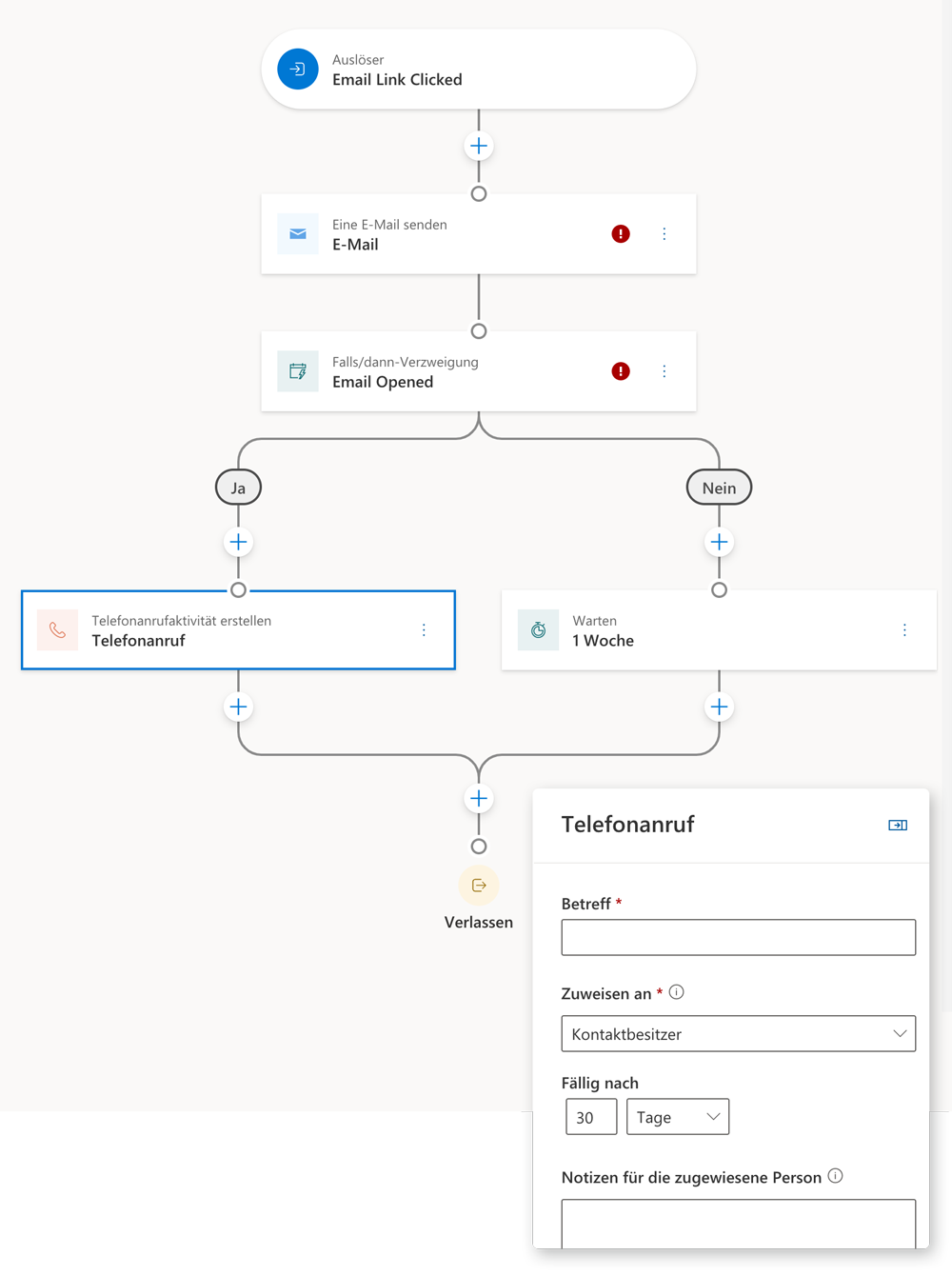
It takes a lot of time to send each customer a situation-specific email, SMS or mobile push notification, even when the right template already exists. With Customer Insights – Journeys an automated workflow takes care of this for you.
When a customer triggers a specific action, such as clicking a link or opening an email, a prepared journey is started based on that context. It reacts immediately to the real-time events triggered by customers, keeping interest high and optimising the sales opportunity.
With A/B tests in your workflows you can try different strategies and evaluate which one is more successful, so you can apply it as the standard.
You create customer journeys easily with drag and drop for the different actions and reactions, or you use the Copilot assistant, describe the desired flow in text and let AI turn it into a workflow.
By grouping customers who meet specific criteria you define so-called segments and can adapt the customer journey to the requirements of each segment.
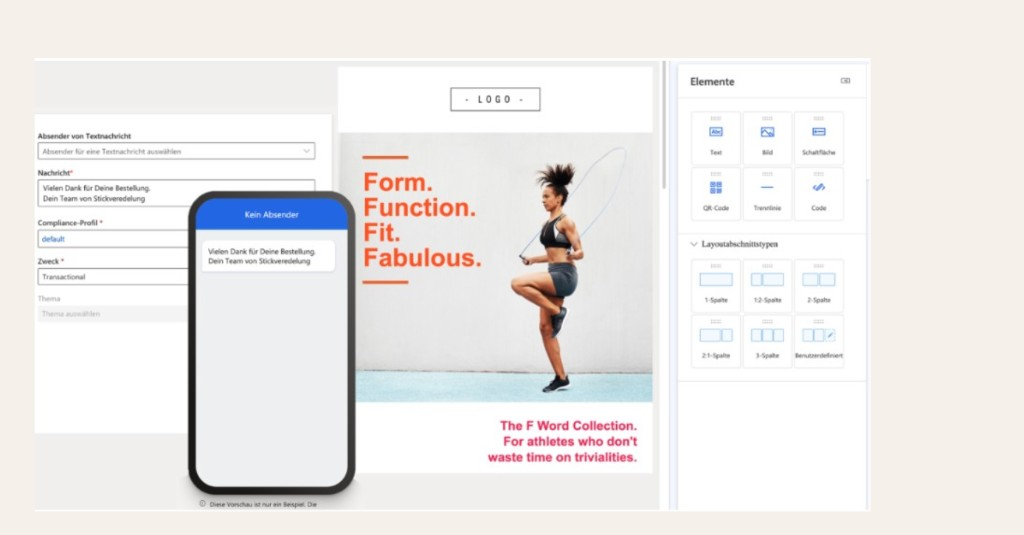
It has never been easier to create eye-catching mail templates that encourage customers to want to see more.
And your SMS drafts are shown to you on a smartphone so you can easily judge the length of the text and its impact.
Easily include files for download, forms or meeting links
Fill emails with personalised content: e.g. with the customer’s name or tailored discount percentages
Use Copilot to align the content of your email or marketing forms with your website, or to describe the content and structure in natural language
Combine emails, push notifications or SMS into journeys that run for individual segments on scheduled timelines or react to customer-triggered events
As a Microsoft Partner we are happy to advise you on how Microsoft Dynamics 365 Customer Insights can enrich your company’s marketing strategy. We support you with setup, personalisation and optimising your sales.